
Nonprofit Fundraising and Donor Retention: A Working Guide
This guide is for development officers, executive directors and volunteers who raise money for a small nonprofit without a dedicated data team. The pattern is familiar. Most energy goes into finding new donors, the people who gave last year drift away unnoticed, thank-yous slip in December, and the year-end target turns out to have no plan behind it until mid-December, when there is no time left to fix it.
The methods below are the ones that make the most difference for small teams. They rely on your own records rather than industry benchmarks, and they can all be run from a spreadsheet. Every number in the examples comes from fictional sample files and is there to show the arithmetic, not to suggest what your results should be.
Know who gave last year and has not given yet
Two terms do most of the work in retention. LYBUNT means a donor who gave Last Year But Unfortunately Not This year. SYBUNT means a donor who gave in Some earlier Year But not this one. Both depend on when your fiscal year starts, so a nonprofit with a July fiscal year will get different lists from one that runs January to December. Agree the fiscal year once and use it every time.
Donor retention is the related rate: of last year’s donors, how many gave again this year. In a fictional example, 60 of 92 donors gave again, a retention rate of 65%. If your records only go back a few months, there is no honest retention rate yet. Report it as not available rather than as 0% or 100%, either of which would mislead the board.
LYBUNT donors deserve their own ask. They already know you, and a letter that recognizes their last gift reads very differently from a generic appeal sent to the whole list. Before sending, check two things: whether anyone on the list is marked Do Not Contact, and whether their gift history is long enough to judge. The Donor Retention Tracker builds both lists for any fiscal-year start and gives each donor a lifecycle state, from new and active through lapsing and lapsed to reactivated.
Judge silence against each donor’s own rhythm
Sorting donors by last contact date is the default in most spreadsheets, and it produces a misleading list. A development officer sorting that way will rank a quiet monthly donor below a quarterly funder who is perfectly fine. The more useful measure is contact cadence.
Give each relationship an expected interval: monthly, quarterly, twice a year or annual. Then measure “overdue” against that interval instead of a single cut-off for everyone. A monthly donor silent for 80 days is a warning sign. A quarterly donor at 80 days is not overdue yet. In the fictional demo of the Nonprofit Donor CRM, 23 of 40 relationships are overdue against their own cadence, a list far more useful than “everyone not contacted in 60 days.”
Two quieter risks are worth checking at the same time. A funder reached through only one person is single-threaded: if that contact leaves, the relationship can leave with them, so add a second contact before renewal. And a gift not acknowledged after two weeks is a stewardship gap you can close today. A simple trend test also helps: if your contacts with a donor in the last 90 days fall behind the 90 days before, the relationship is slipping, even if no single date looks alarming. The Donor Management System uses that comparison and ranks the donor register by what needs doing.
Set a thank-you standard before the rush
Once the December surge starts, thank-yous are usually the first thing to slip, and catching up in January means the donor has already formed an impression. The time to decide how you thank people is while it is still quiet. Four decisions cover most of it:
- Set a standard in days from gift to thank-you, such as two, that you can keep on your busiest day.
- Pick a gift amount at which the thank-you becomes a personal call from the director or a board member.
- Give every gift a named owner, so nothing sits in a shared inbox.
- Plan the next touch, such as an impact update or an invitation, at a set gap after the thank-you.
Then check overdue items daily through December. Measure two things: the on-time rate against your own standard, and how the work is spread across owners. In the fictional example in the Donor Thank-You Tracker, on 29 December 8 thank-yous are overdue and 4 of them sit with the same volunteer caller. The practical fix is to move some of those calls to another owner today.
Project year-end giving from your own history
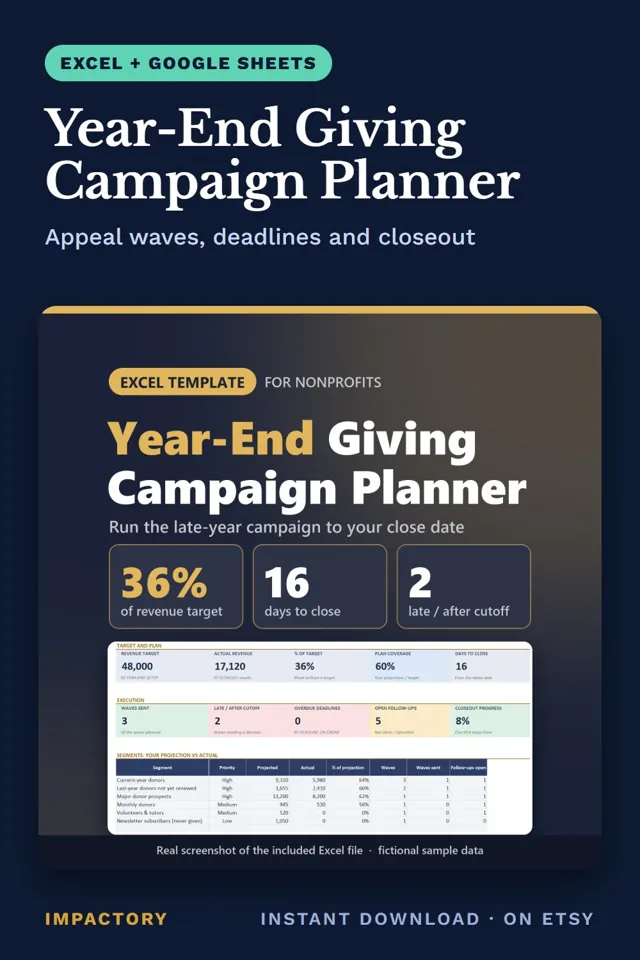
Year-end targets set without a segment plan tend to reveal their gap too late. A projection built from your own records is quick to make. List your segments, such as current, lapsed and monthly donors. Count the contacts in each. Write your own response rate and average gift next to each, from last year if you have it. Multiply contacts by response rate by average gift, add the segments, and compare the total with the target.
| Sample segment | Contacts | Response rate | Average gift | Gifts | Projected |
|---|---|---|---|---|---|
| Lapsed donors | 540 | 8% | 85 | 43 | 3,655 |
| All six segments | 28,680 | ||||
| Target | 48,000 |
In this illustrative plan the segments cover 60% of the target. That gap is the useful part of the exercise. It tells you, before December, whether to add a segment, raise an ask, or change the target with the board’s agreement. The Year-End Giving Campaign Planner runs this arithmetic for up to 15 segments with no benchmarks built in, so the projection is only ever as good as your own assumptions. Treat it as arithmetic, never as a forecast of money raised.
Plan the season on one map
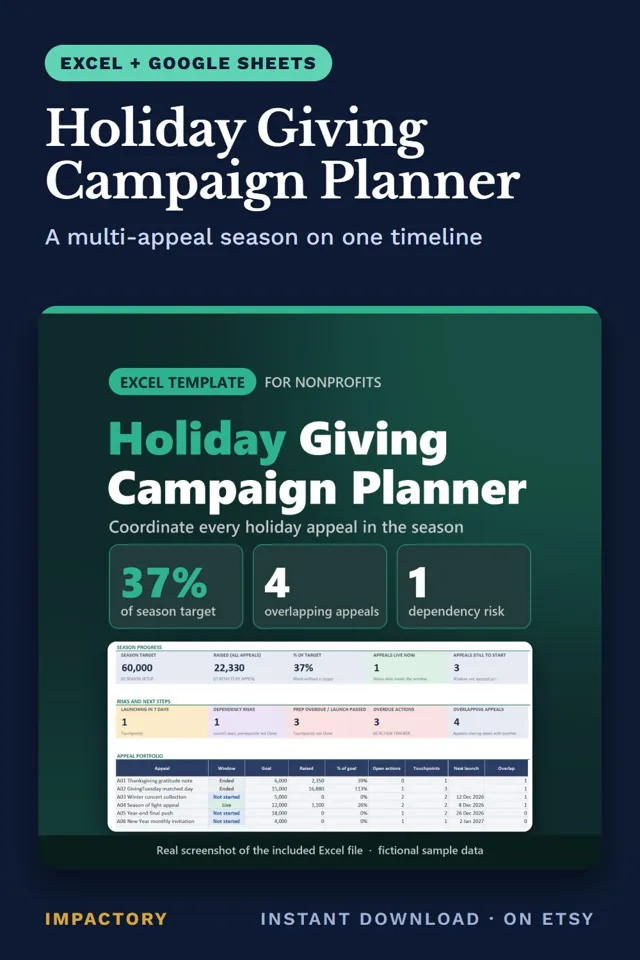
Holiday planning gets hard the moment three appeals land on the same donors in one week. The tool for that is a season map. Put every ask on it with start date, end date, audience and goal, including GivingTuesday, which falls on December 1 this year. Count how many other appeals overlap each one. Give every touchpoint a prep date and a prerequisite, and raise any launch in the next seven days whose prerequisite is not done at this week’s meeting.
Finally, check that the appeal goals add up to the season target. Results at the appeal level can hide a season-level problem. In the sample file of the Holiday Giving Campaign Planner, a fictional youth music charity’s GivingTuesday finished at 113% of goal while the season as a whole stood at 37%. For a week-by-week plan of the two biggest asks, see GivingTuesday and Christmas Fundraising Plan for Small Nonprofits.
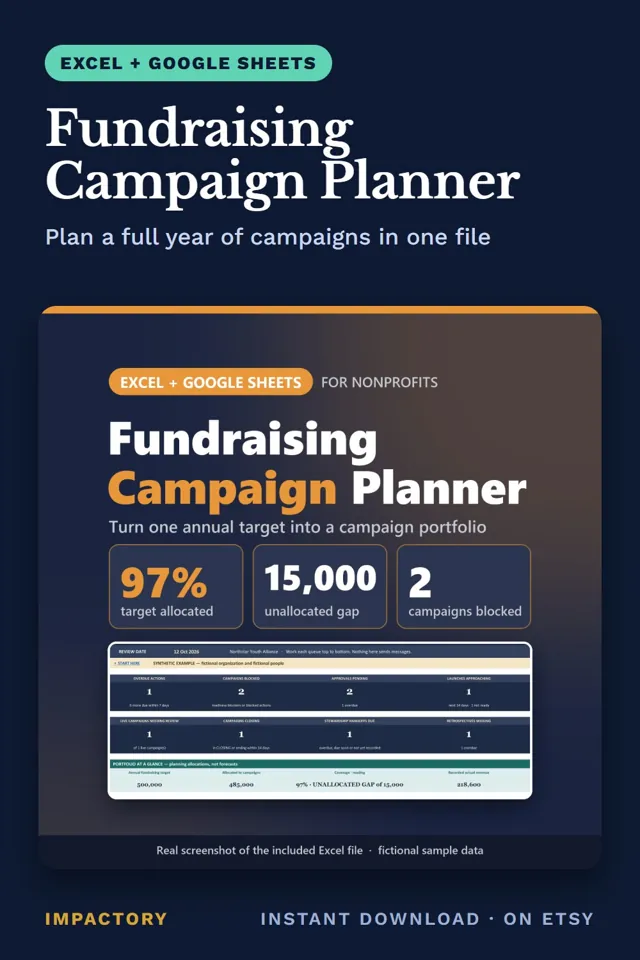
The same check applies to the annual plan. Development directors drafting next year often find the campaigns, added up, fall short of what the board expects. Add each campaign’s allocation against the target separately for restricted and unrestricted money, because an over-allocated restricted line can hide an unrestricted gap. In the fictional worked example of the Fundraising Campaign Planner, eight campaigns allocate 485,000 against a 500,000 target, a 15,000 gap, while restricted money is over-allocated by 15,000. Before any launch, list blockers in words. A missing final approval is a blocker and should not be averaged away in a readiness score.
Keep one gift log and calculate everything from it
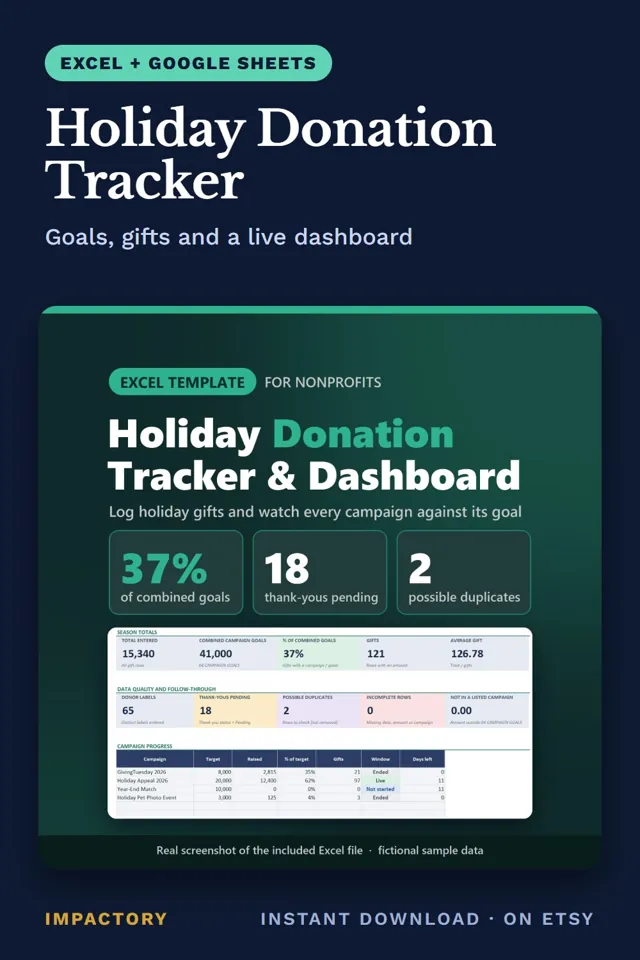
December gifts logged in three places mean nobody can say on any given day how far the appeal is from its goal. The discipline is one row per gift, with date, amount, campaign, source and thank-you status. Totals and progress are calculated from those rows, never typed. A gift with no campaign counts toward no goal, so flag missing fields. When the same donor, date and amount appear twice, mark the row for review instead of deleting it, because two identical gifts can be real.
The before-and-after in the sample file of the Holiday Donation Tracker shows what the discipline buys. Before: a list of 121 gifts to a fictional animal rescue. After, on 20 December: 15,340 raised against 41,000 in combined goals (37%), the Holiday Appeal at 62% of its 20,000 target with 11 days left, 18 thank-yous pending and 2 possible duplicates to check.
Choose fundraisers your team can actually run
Small teams often copy an event that worked for a larger charity and discover halfway through that nobody has time to run it. The better choice is the one your organization can staff and pay for. Before committing, answer in writing who leads it and how many hours they have, how much money goes out before any comes in, how many volunteers the day needs, whose list you will invite, and whether local rules apply, as they often do for raffles, alcohol, food and public collections. The Fundraising Idea Finder asks those questions once in a team profile and scores 162 ideas against it, with constraint flags kept visible on high scorers.
Tools that help
- Donor Retention Tracker: builds LYBUNT and SYBUNT lists for any fiscal-year start and shows N/A when records are too short for a retention rate.
- Nonprofit Donor CRM: measures overdue contact against each relationship’s cadence and flags single-threaded funders and gifts not acknowledged after 14 days.
- Donor Management System: scores donor health from 0 to 100 and shows “Slipping” when recent contact falls behind the previous 90 days.
- Donor Thank-You Tracker: gives every gift a due date against your own standard and shows on-time rate and coverage by owner.
- Year-End Giving Campaign Planner: projects year-end giving for up to 15 segments from your own response rates and average gifts.
- Holiday Giving Campaign Planner: maps up to 12 appeals with overlap counts and flags dependency risk on touchpoints.
- Fundraising Campaign Planner: checks campaign allocations against the annual target and runs a readiness gate where any blocker reads NOT READY.
- Holiday Donation Tracker: calculates progress for up to 12 campaigns from one gift log and flags possible duplicates without deleting them.
- Fundraising Idea Finder: gives 162 fundraising ideas a 0 to 100 Fit Score against your team, budget and reach.
- Fundraising Email Conversion Kit: a donor segmentation workbook, 48 appeal and thank-you email templates, and Canva email layouts that read well on a phone.
Where to start
Retention and stewardship reward consistency more than cleverness. Know your LYBUNT donors before December, judge silence against each donor’s own rhythm, set a thank-you standard you can keep, project from your own history, and calculate every total from a single gift log. None of these methods predicts what you will raise. They make sure the donors who already support you hear from you at the right time, and that the board sees a plan it can question.
Tools mentioned in this guide
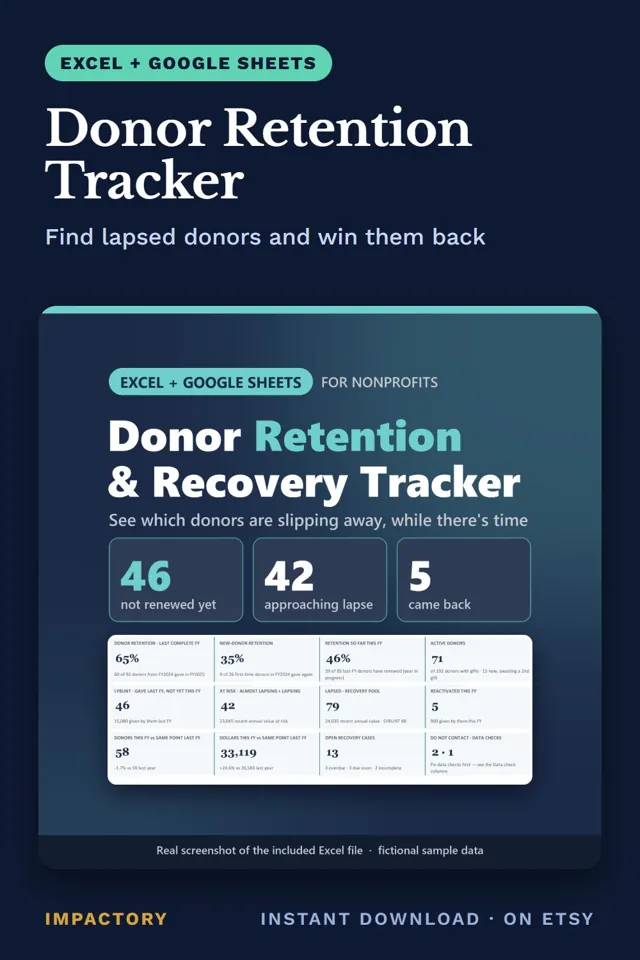
Donor Retention Tracker
Excel + Google SheetsFundraisers planning December appeals often send one letter to everyone, including the donors who gave last year and haven't given yet.
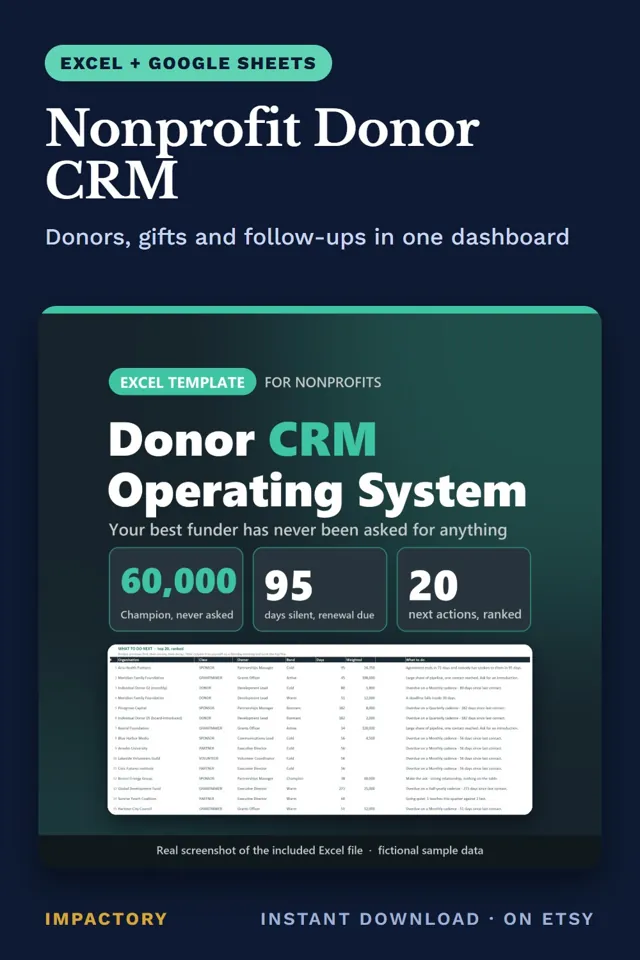
Nonprofit Donor CRM
Excel + Google SheetsA development officer sorting by last contact date will rank a quiet monthly donor below a quarterly funder who is perfectly fine.
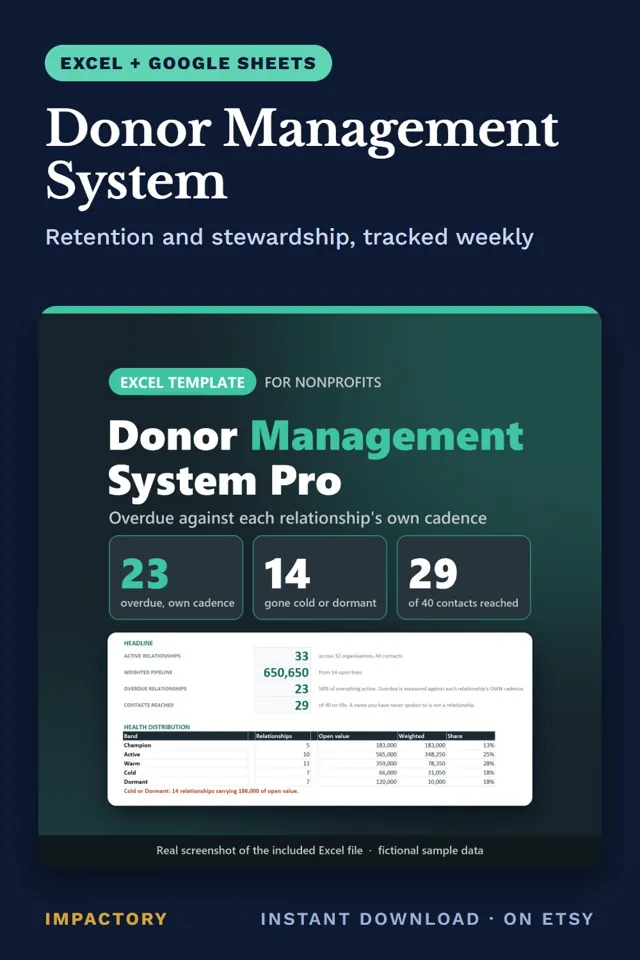
Donor Management System
Excel + Google SheetsGivingTuesday gifts land today, and the person who has to thank each donor is often the same person still running the appeal.
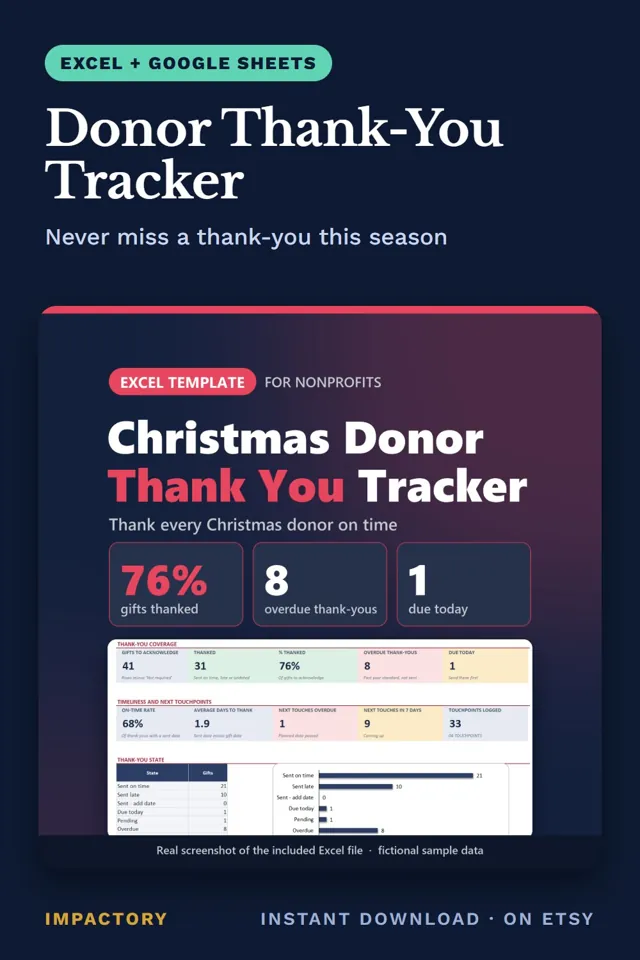
Donor Thank-You Tracker
Excel + Google SheetsGivingTuesday is two weeks out, and once the December surge starts, thank-yous are usually the first thing to slip.
Year-End Giving Campaign Planner
Excel + Google SheetsYear-end targets set without a segment plan tend to reveal their gap in mid-December, when there's no time left to add another appeal wave.
Holiday Giving Campaign Planner
Excel + Google SheetsHoliday season planning gets hard for a development director the moment three appeals land on the same donors in one week.
Fundraising Campaign Planner
Excel + Google SheetsDevelopment directors drafting next year's plan often find that the campaigns, added up, fall short of the target the board expects.
Holiday Donation Tracker
Excel + Google SheetsDecember gifts logged in three places mean nobody can say, on any given day, how far the appeal is from its goal.
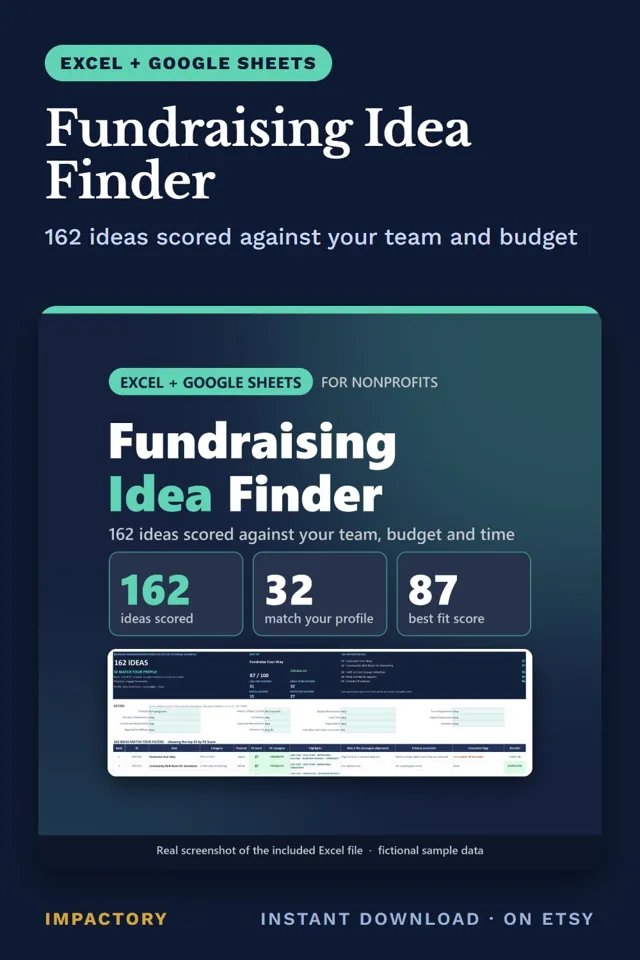
Fundraising Idea Finder
Excel + Google SheetsSmall teams often copy a fundraiser that worked for a bigger charity, then find out halfway through that nobody has time to run it.
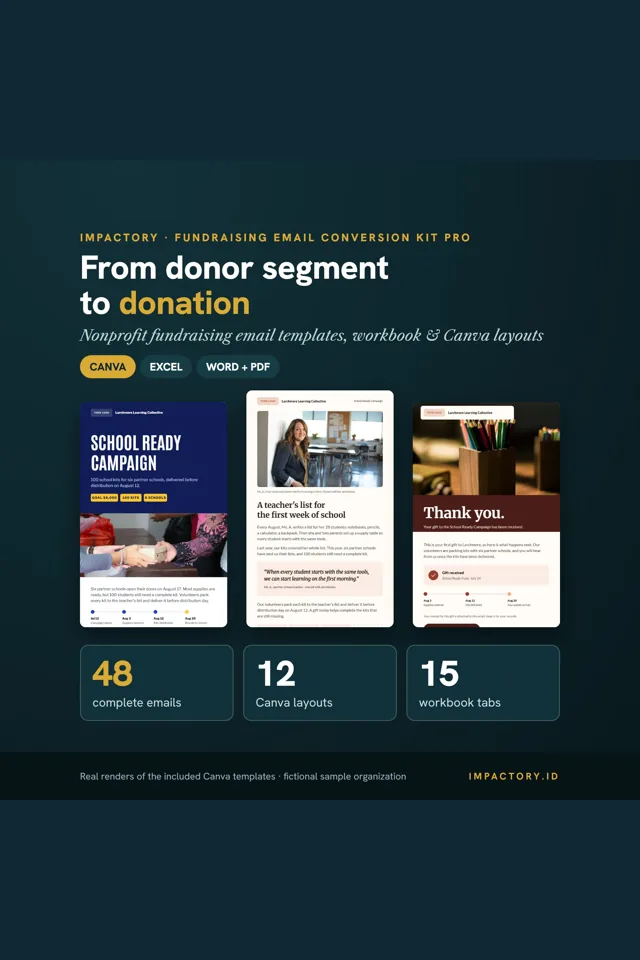
Fundraising Email Conversion Kit
Canva + ExcelMost fundraising emails fail at small, fixable points: one message sent to everyone, a vague subject line, a wall of text on a phone, a claim nobody can back up, a button that lands on a generic page, and silence after the gift.