
GivingTuesday and Christmas Fundraising Plan for Small Nonprofits
This guide is for small nonprofit teams that run GivingTuesday and a Christmas appeal with the same three or four people who do everything else. In 2026, GivingTuesday falls on Tuesday, 1 December, and Christmas Day is Friday, 25 December. That leaves 24 days between the two biggest asks of the year, which is not much room when both campaigns are planned in the same spreadsheet by the same people.
The pattern that causes most of the stress is familiar. Planning starts after Thanksgiving, GivingTuesday emails are written the week before, the Christmas appeal launches late, both campaigns ask the same donors on the same day, and thank-yous pile up until January. None of this is a talent problem. It is a calendar problem, and it can be fixed in October.
Every number in the examples below comes from fictional sample files. The numbers are there to show how the checks work, not to suggest what your results should be. For donor retention lists and year-end projections, see the companion guide, Nonprofit Fundraising and Donor Retention.
Start with one season map, not two campaign plans
Before anyone plans GivingTuesday or Christmas in detail, put every ask of the season on one calendar: the GivingTuesday push, the Christmas appeal, any year-end letter, event invitations, monthly giving upgrades and the last-chance emails on 31 December. Give each one a start date, an end date, an audience and a goal.
Two checks are worth running on that map straight away:
- Overlap. Count how many other asks run during each one. If a donor would receive the GivingTuesday reminder and the Christmas launch in the same week, decide now which goes first, or split the audience.
- Goals that add up. The goals of all the appeals should add up to the season target. If they come to less, the gap needs a plan before December, not after.
Once the map is agreed, give GivingTuesday and the Christmas appeal their own plan and their own owner. A delay in one then stays in that plan instead of quietly pushing back the other. The Holiday Fundraising Bundle is built in that order: a season map for up to 12 appeals comes first, then separate planners for each campaign.
Plan GivingTuesday backwards from 1 December
GivingTuesday is a single day, which makes it unforgiving. Teams that start writing in the final week spend the day catching up instead of sending, watching and thanking. A schedule that counts backwards from the day keeps the work in the right order:
- Six to seven weeks out (mid-October): agree the money goal, the donor goal, the story and any matching gift.
- Four weeks out (early November): decide the audiences and the ask for each one.
- Two weeks out (mid-November): draft every email and post, and get them approved.
- The day before: walk through the run of show: who sends what, at what time, and who watches the gifts coming in.
- The days after: thank every donor, oldest gift first.
Write the plan as a one-page brief before any copy is drafted. If the brief has gaps, such as no named owner for social posts or no decision on the match, those gaps will surface on the day, when there is no time to fix them.
Preparation can be measured, as long as you are honest about what the measure means. The GivingTuesday Planner scores readiness from 0 to 100 with every weight visible: brief 20, audiences 15, messages 15, channel plan 15, tasks on track 25 and giving-day preparation 10. In its fictional sample file, four days out, readiness is 80 and the gap is the day-before checklist. A readiness score measures preparation. It does not predict money raised, and it should never be shown to a board as a forecast.
Use a matching gift only if it is real and in writing
A match gives GivingTuesday donors a reason to give today rather than next week, which is why so many campaigns use one. It only works if it is genuine. Before you announce a match:
- Get the sponsor’s commitment in writing, including the cap, the dates and what counts as a matched gift.
- Decide what happens if donations pass the cap, and say it plainly in your messages.
- Never describe a gift as “doubled” when the match has already run out.
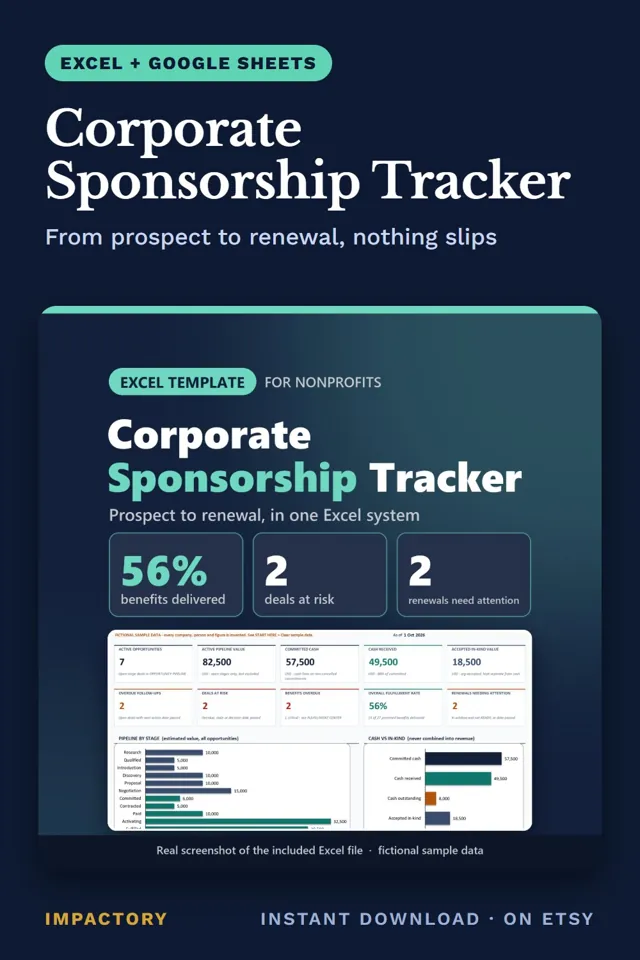
The sponsor will also expect something back, such as a logo on the campaign page or a thank-you in the report. List each promised benefit with an owner, a due date and the evidence that shows it was delivered, like a link or a screenshot. Track the match money received separately from the money committed. That record is what makes next year’s renewal conversation easy. The Corporate Sponsorship Tracker follows each benefit from promise to delivery. In its fictional sample, 15 of 27 promised benefits are delivered and the top action is a website logo benefit that is 37 days late.
Plan the Christmas appeal in phases, not as one deadline
A Christmas appeal is a campaign of four to six weeks, not a single date, so treat it in phases:
- Plan and build: a one-page brief with a money goal, a gift-count goal, the case for support, the call to action and three named owners.
- Launch: the first ask goes out, ideally after GivingTuesday donors have been thanked.
- Advent push: the main stretch, with updates on progress.
- Christmas week: a short, warm reminder.
- Final days to 31 December: last-chance messages for donors who give at the very end of the year.
- Thank and review in January.
Give every milestone one owner and one date, and check once a week what has slipped. Where you look first matters: a milestone that slips in the Advent push costs more than one that slips in early November, because there is no slack left behind it. The Christmas Fundraising Planner marks each milestone as Overdue, Next 7 days or Upcoming. In its fictional sample, on 10 December, a food pantry is at 54% of its goal and both overdue milestones sit in the Advent push, which tells the team exactly where to spend the next week.
Check every claim and photo before it is scheduled
Deadline pressure is when nonprofits publish things they later regret: a striking statistic nobody can trace to a source, or a photo of a child used before anyone confirmed permission. The cost arrives later, when a donor, a journalist or a funder asks where the number came from.
A proof check before scheduling prevents both:
- Write down each core message of the campaign with its source. A message without a source is marked unverified and does not go on the calendar until someone checks it.
- Give every photo and video a permission check before it is approved, and apply a dignity check to images of children and people receiving help.
- Set a review window: how many days before publishing an item must be approved. Two or three working days is realistic for most small teams.
The Christmas Content Planner builds these checks into the calendar. In its fictional sample, a message about school lunches had no source yet, and both calendar items that used it were flagged “Verify proof first” until it was checked.
Plan to capacity, not ambition
December is the month when the content calendar holds more than the team can produce. Before the season starts, do the arithmetic. Count the pieces your team can realistically make each week, multiply by the weeks left, and compare that with what is scheduled.
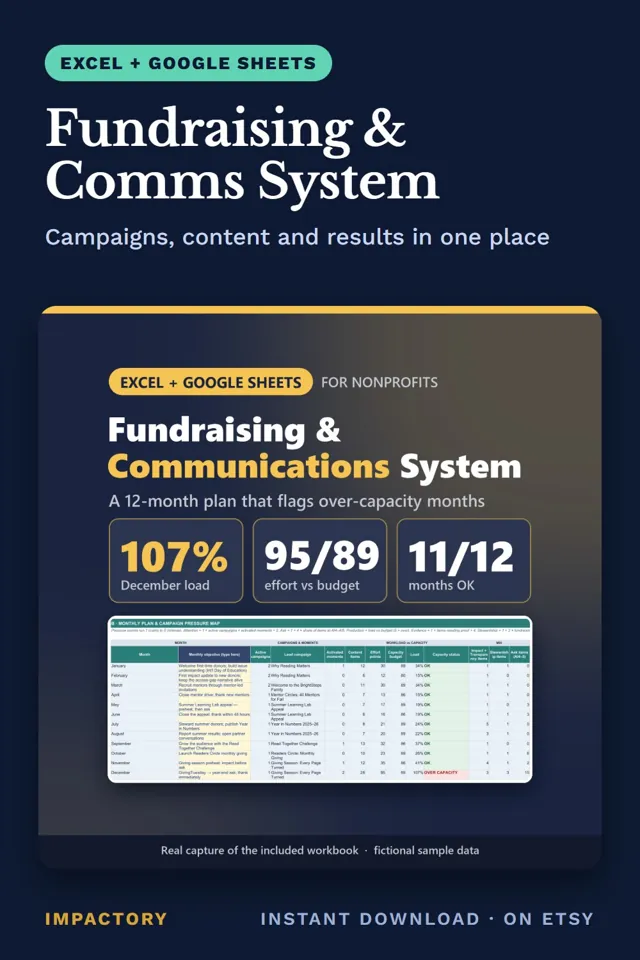
If the plan runs over, decide now what gets cut. Defer evergreen content first, such as general awareness posts. Protect the three pieces that carry the campaign: the ask, the thank-you and the report back to donors on what their gifts did. Most other posts can move to January without anyone noticing. The Fundraising and Communications Calendar flags months that run over capacity. In its fictional example, December runs at 107% of capacity and three evergreen posts are suggested for deferral.
Thank donors before you ask them again
The 24 days between GivingTuesday and Christmas create an awkward risk: a donor who gave on 1 December receives the Christmas appeal before they have been thanked. That is easy to prevent with three rules:
- Set a thank-you standard in days, such as two, that you can keep on the busiest day of the season.
- Keep one gift log for the whole season, and have every campaign read its totals from it rather than keeping its own count.
- Exclude recent GivingTuesday donors from the first Christmas ask until their thank-you has gone out, or change their message so it starts with thanks.
After 31 December, write a short review while the numbers are fresh: what each appeal raised against its goal, how many donors were new, which messages worked, and which milestones slipped. That review is the first page of next year’s plan.
A simple timeline for 2026
| When | GivingTuesday (1 Dec) | Christmas appeal |
|---|---|---|
| Mid-October | Agree goal, story and match | Agree season map and owners |
| Early November | Audiences and asks decided | Brief written, case for support agreed |
| Mid-November | Emails and posts approved | Content drafted, proof checks done |
| 30 November | Run of show walkthrough | Launch materials ready |
| 1 December | Send, watch, thank | Hold the launch |
| 2 to 7 December | Thank every donor | Launch, after GivingTuesday thanks |
| 8 to 20 December | Report back on results | Advent push and progress updates |
| 21 to 31 December | Christmas week and final-days reminders | |
| January | Review | Thank and review |
Tools that help
- Holiday Fundraising Bundle: eight planners for the season, including the season map, both campaign planners, a gift log and a thank-you tracker.
- GivingTuesday Planner: one-page brief, a task board dated backwards from giving day and a gift log.
- Christmas Fundraising Planner: phase-based milestones with owners and a progress dashboard.
- Christmas Content Planner: content calendar with proof and permission checks.
- Fundraising and Communications Calendar: capacity planning across campaigns.
- Corporate Sponsorship Tracker: promised versus delivered sponsor benefits, including matching gifts.
Where to start
If it is already October, do two things this week. Put every ask of the season on one map and check the overlaps, and agree the GivingTuesday goal, story and match. Everything else in this guide follows from those two decisions. For the free version of the season checks, use the Donor Retention and Year-End Checklist.
Tools mentioned in this guide
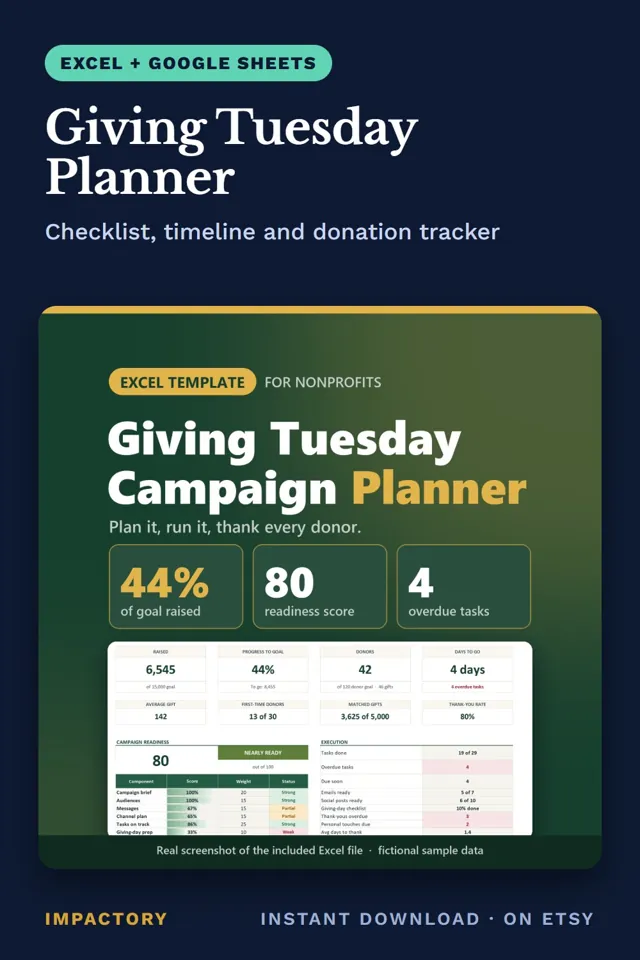
Giving Tuesday Planner
Excel + Google SheetsGivingTuesday falls on December 1, seven weeks from today, and teams that start writing in the final week spend the day catching up.
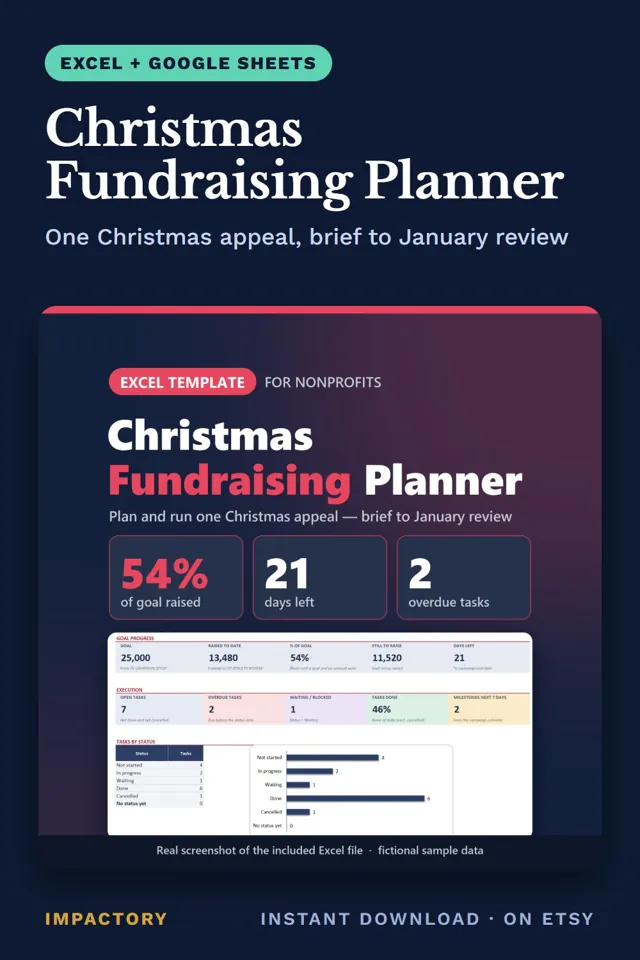
Christmas Fundraising Planner
Excel + Google SheetsChristmas Day is nine and a half weeks from today, and appeals planned after Thanksgiving tend to launch late and close in a rush.
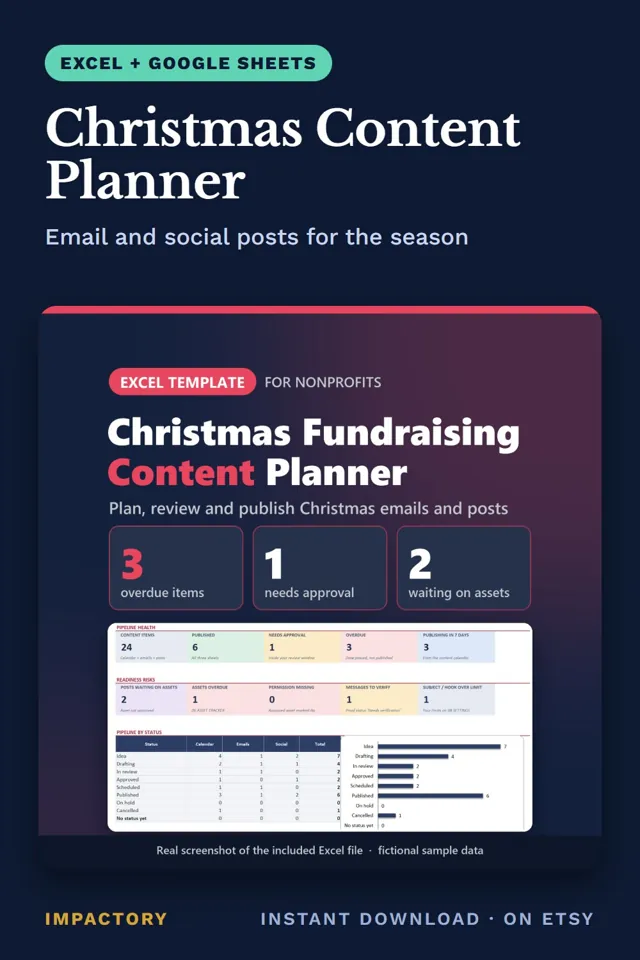
Christmas Content Planner
Excel + Google SheetsWriting a Christmas appeal under deadline, a fundraiser can publish a striking number that nobody on the team can trace to a source.
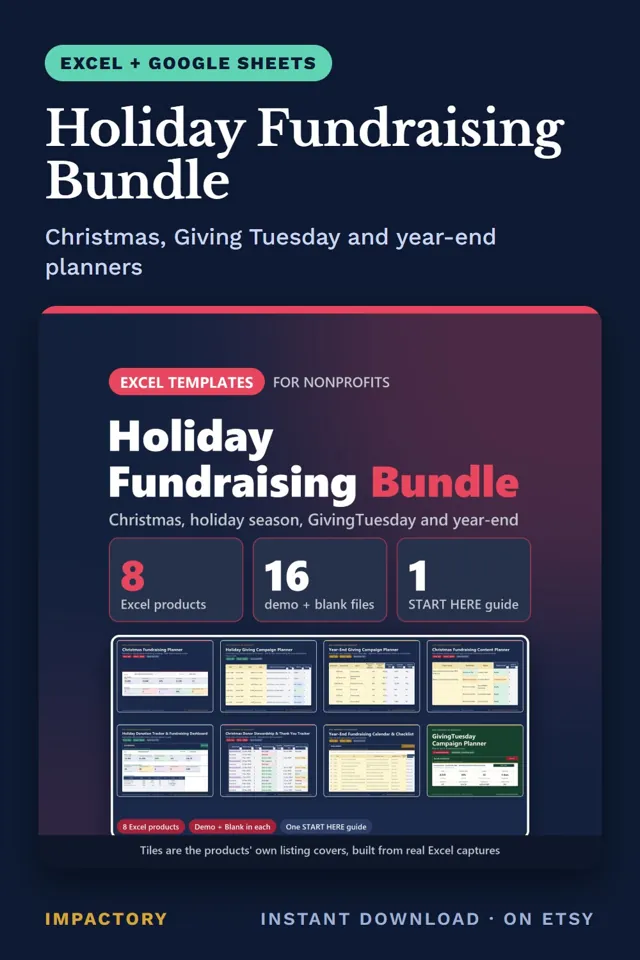
Holiday Fundraising Bundle
Excel + Google SheetsNovember is when a development team's single fundraising spreadsheet starts doing six jobs at once, and the jobs start blocking each other.
Fundraising & Comms System
Excel + Google SheetsTomorrow is GivingTuesday, and for many small comms teams December is the month the calendar holds more than the people can produce.
Corporate Sponsorship Tracker
Excel + Google SheetsPartnership managers walking into a renewal meeting get one question first: which of the promised benefits did the sponsor actually receive?