Nonprofit Fundraising Email Templates: 48 Appeals in Canva + Excel
Rp155.400 on Etsy, prices shown in your currency at checkout
Fundraising Email Conversion Kit is an instant download sold on Etsy. Sample data in the demo file is fictional and clearly marked.
View on EtsyMost fundraising emails fail at small, fixable points: one message sent to everyone, a vague subject line, a wall of text on a phone, a claim nobody can back up, a button that lands on a generic page, and silence after the gift.
A useful habit is to plan from the donor segment outward. Decide who the email is for, then the message and the ask that fit that relationship, then the layout. Keep do-not-solicit and suppressed groups out of every ask, give every urgency line a real deadline, and make sure the donation page behind the button keeps the email's promise. After the gift, thank the donor and report what the money did before you ask again.
When you measure results, name the denominator: clicks divided by delivered emails, donations divided by donation-page visits. A blank should stay blank rather than show a misleading 0%.
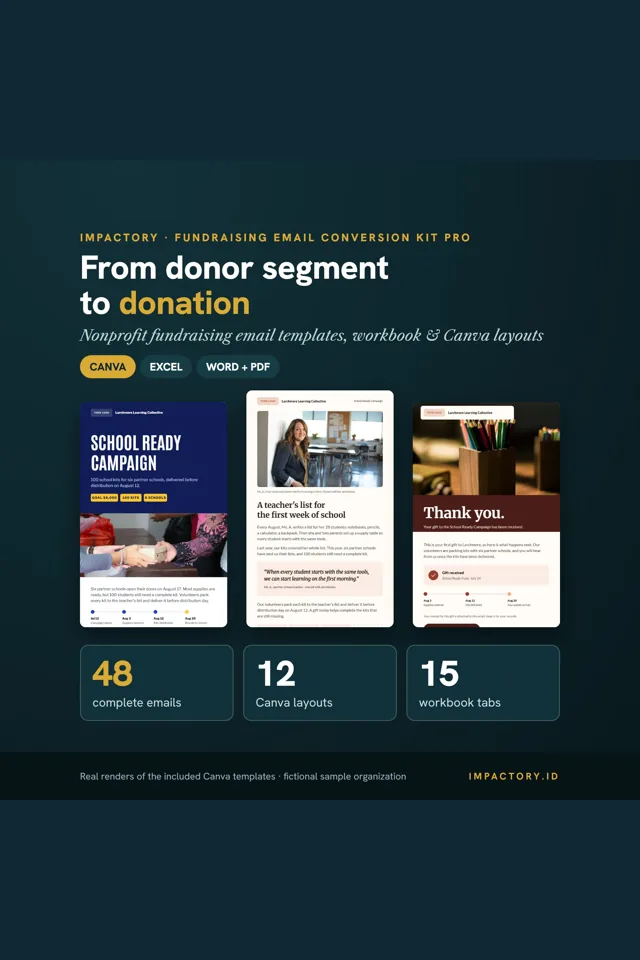
The Fundraising Email Conversion Kit puts those steps in one system. The Donor Conversion Workbook (Excel) has 16 starter segments, a segment-to-message matrix that warns when a no-ask segment gets an ask, a sequence builder, an ask ladder where you set every amount, and a Subject Lab that catches fake "Re:", all caps and urgency words without a deadline. The Copy Library holds 48 complete templates in 9 families with 144 subject lines and 96 preheaders, and the Canva design system has 12 email layouts and 24 modules in 3 styles that read well on a phone.
It doesn't send email or connect to your platform. Paste the copy and images into Mailchimp, Constant Contact, Brevo, MailerLite or any tool that lets you add text, a button and images. The workbook was tested in Excel 2016 or later on Windows; Google Sheets and Mac Excel were not tested.
Related guide: Nonprofit Fundraising and Donor Retention: A Working Guide