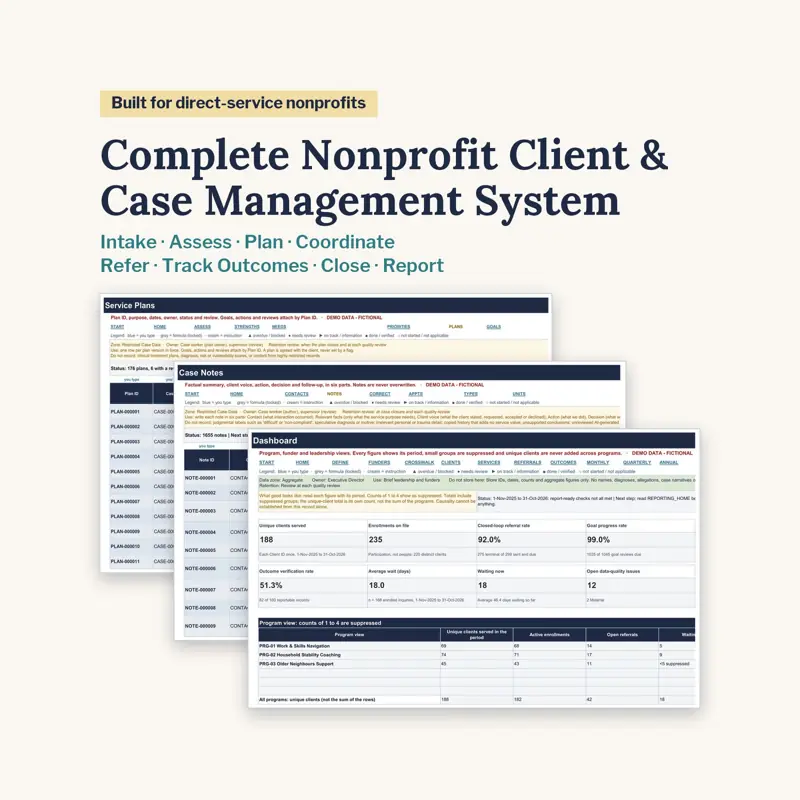
Nonprofit Case Management System: Intake, Referrals, Outcomes
Rp216.450 on Etsy, prices shown in your currency at checkout
US$18.99 on Gumroad, priced separately from the Etsy sale
Client Case Management System is an instant download. Sample data in the demo file is fictional and clearly marked.
Small direct-service teams usually know their clients well and can still not say, at the end of a quarter, how many people they served without counting the same person twice.
That is a records problem rather than a memory problem. People, households, enrolments, cases, goals, referrals and outcomes are different things and need stable IDs of their own; once they share a row, every number downstream becomes an estimate. The same applies to referrals — a referral that was sent is not a referral that was completed, and a case that was closed is not a case that succeeded.
Before any of that, though, the honest question is whether a spreadsheet is the right tool at all. For some kinds of record it is not, and knowing where that line sits is part of running the service responsibly.
The Client Case Management System is built for that first stage: ten Excel systems, each as a DEMO and a BLANK edition — 20 workbooks and 168 sheets, with 112,834 formulas in each demo set — covering intake, service plans, case notes, referrals, caseload review, outcomes and funder reports. It tracks every referral to a real end status, separates services delivered from outcomes observed, reports unique clients, service units, referrals and outcomes with the period, definition and denominator beside each figure, and shows caseload and supervision needs as a planning aid with visible weights, never a staff ranking. It ships with 20 Google Sheets make-a-copy links, 11 Canva designs, 55 Word templates in US Letter and A4, 12 PDF playbooks running to 668 pages, a 45-prompt library and a privacy guide.
It is not clinical software, a secure client portal or a privacy or compliance product. Do not use it for live clinical, child-protection, gender-based violence, trafficking, safeguarding-investigation, immigration or legal-evidence records, or for anything needing audit logs or row-level permissions. A built-in suitability check tells you when a spreadsheet is the wrong tool, and a migration workbook plans the move. It makes no automatic eligibility, risk or closure decisions.
Related guide: Best Nonprofit Grant Management Spreadsheet: How to Choose, Scholarship Program Management System: How to Run One