
Grant Tracking Spreadsheet: The Columns That Matter
Key takeaways
- Decide the grain first: one row per opportunity, with payments, reports and tasks in their own tabs linked by an ID, or the sheet turns into a to-do list nobody can total.
- Eleven columns do almost all the work; every column after those has to earn its place by changing a decision somebody actually makes.
- Review by exception once a week, show a project with no data as not assessed rather than 0%, and keep reporting deadlines in the tracker with a warning window.
In this guide 8 sections
A grant tracking spreadsheet usually starts as one tab and a good intention. Six months later it has thirty-one columns, three of them called status, and a colour code only one person can read. The board asks what is in the pipeline, and the honest answer takes an hour of filtering to produce.
The fix is not a prettier template. It is deciding, before the first row, what one row represents and which columns are allowed to exist. This guide covers the grain, the columns that earn their place, the two statuses teams keep merging, and the weekly habit that keeps a tracker honest. It assumes you already know which funders you are approaching; choosing between them is a different job, covered in grant management for small nonprofits.
Decide the grain before you decide the columns
One row is one opportunity: one application to one funder for one purpose in one cycle. Not one payment, not one report, not one task. The moment a tracker mixes those, totals stop meaning anything, because adding a column of amounts across rows that represent different things produces a number nobody can defend.
Payments, reports and tasks still need somewhere to live. Give them their own tabs, each with a grant ID column pointing back to the opportunity row. A renewal is a new row with a link to the one it renews, not an edit of the original, or you lose the history of what you asked for last time.
Two shortcuts cause most of the damage. Keeping several funders on one row because the application was joint makes every per-funder figure wrong. And reusing a row for the next cycle overwrites the only record of what the first cycle decided.
Eleven columns do almost all the work
Everything beyond this list has to justify itself by changing a decision somebody actually makes.
| Column | Why it exists |
|---|---|
| Grant ID | Lets payments, reports and tasks point at this row |
| Funder | The organisation, not the program officer |
| Purpose | Which program or project the money is for |
| Amount requested | What you asked for, unchanged after submission |
| Stage | Where the application has physically reached |
| Probability | Your judgement of the chance of funding |
| Decision expected | The date you expect to hear, not the deadline |
| Owner | One named person, never a team |
| Restriction | Restricted, designated or unrestricted |
| Amount awarded | Blank until the letter arrives |
| Next report due | The date that creates work after the money |
Two of those are worth insisting on even when they feel redundant. Owner has to be one person, because a column that reads “development team” produces no action in any meeting. And decision expected is not the submission deadline: the deadline tells you when work ends, the decision date tells you when cash might appear, and only the second one belongs in a forecast.
Stage and probability are not the same column
This is the merge that breaks most trackers. A single status column gets used as a forecast, so “submitted” quietly comes to mean a fixed chance of funding. But a renewal from a funder who has paid you for three years and a cold application to a national foundation can both sit at submitted and deserve very different numbers.
Keep them apart. Stage records a fact and moves in one direction. Probability records a judgement, carries a written reason, and gets revisited every time a decision comes back, so the forecast learns from your actual win rate rather than from optimism. Then the pipeline figure is arithmetic: each open request multiplied by its chance, added up, shown as a conservative, expected and optimistic range.
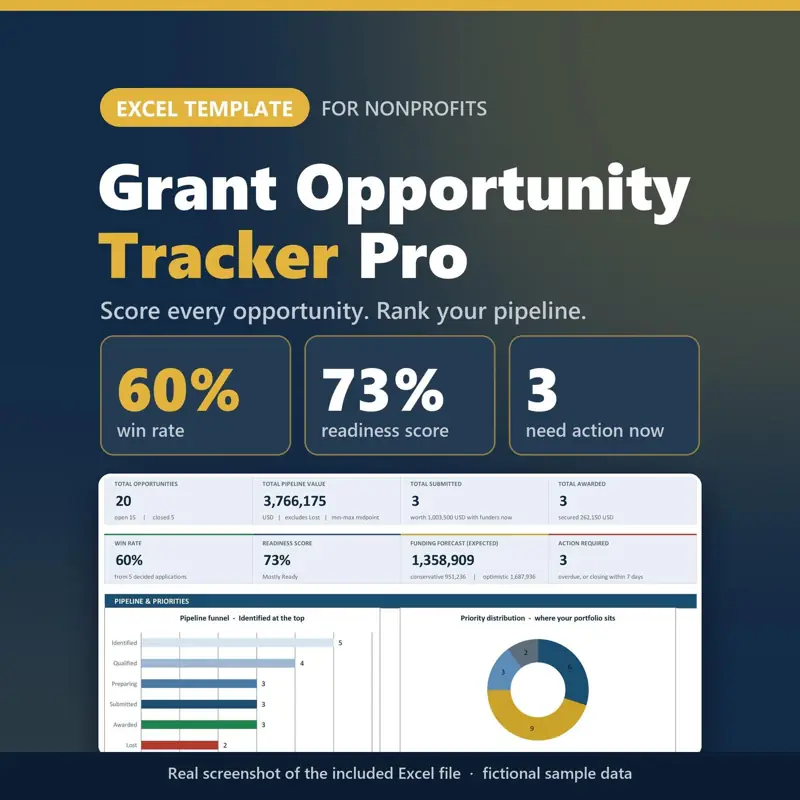
Grant Tracker Pro builds that split into the sheet. Each opportunity is scored 0 to 25 on strategic, geographic, eligibility and capacity fit, giving a priority out of 100 where 85 and above reads Pursue Immediately. You either type the win probability or let the stage supply one, and the forecast runs in three scenarios across eight quarters. In its sample data, a pipeline of 3,766,175 becomes an expected 1,358,909 once each request is weighted, which is the figure a board can actually plan against.
Awarded is not received, and received is not spendable
The award letter arrives and the tracker goes green. That is usually where the money stops being visible, because a single awarded column cannot answer the question a treasurer gets asked: how much of this grant is left.
Three numbers have to stay separate. Awarded is what the letter promises. Received is what has actually cleared the bank. Spent is what the program has used. Subtract in the right order and the remaining restricted balance appears; merge any two and it does not.
The fictional pantry in the Nonprofit Treasurer Spreadsheet example shows the arithmetic. Against a book balance of 20,232, the Youth Mentoring Grant has received 6,000 of a 12,000 award and spent 3,200, leaving 2,800 restricted. The Food Access Grant has 1,700 left of 8,000 received, and 10,000 is designated as a board reserve. Because every transaction carries a fund tag, the funds add up to the book balance, and a restricted fund that goes below zero is flagged rather than absorbed.
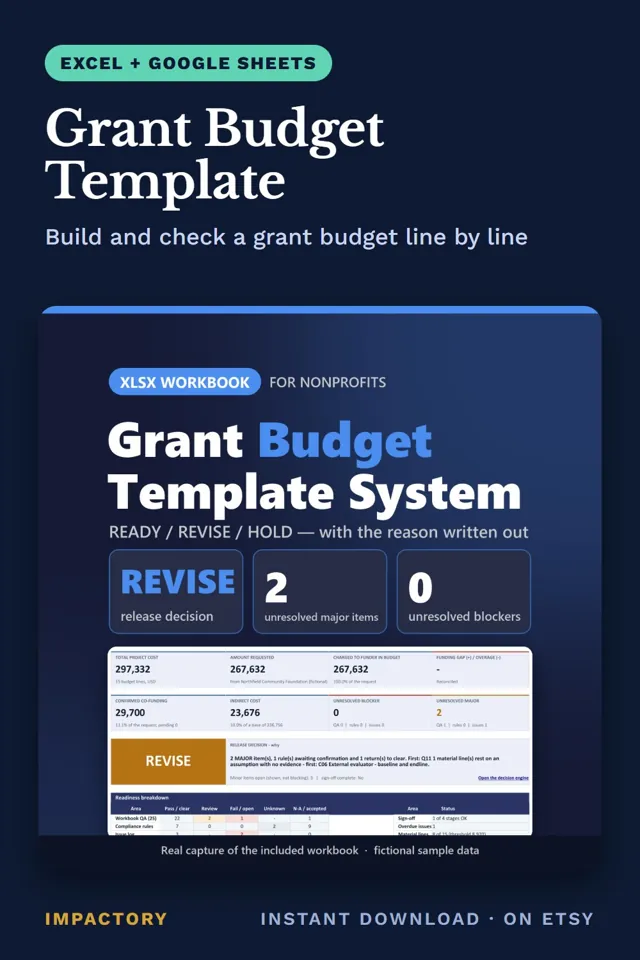
If the tracker is also where your budget lives, the same discipline applies to the proposal side: every line tied to an activity and an assumption. The Grant Budget Template runs 25 integrity checks over that, and in its worked example 22 of 25 pass with a REVISE decision and the reasons named.
The reporting deadline belongs in the tracker
A grant creates more work after the money arrives than before it, and almost none of that work has a prompt attached. Narrative reports, financial reports, variation requests and final acquittals all have dates, and they are usually kept in the head of whoever wrote the application.
Put each one in the tracker with an owner and a warning window. Thirty days before the due date is a sensible default: long enough to pull figures from a closed month, short enough that the alert still means something. A report drafted from current figures takes an afternoon; one reconstructed a week late takes three days and produces numbers the finance lead has to re-check.
Assets bought with grant money need the same treatment. Award terms usually say who owns equipment at the end, whether it can move to another project, and whether disposal needs the funder’s approval. The Asset Management System flags donor-funded assets inside a window you set before the project ends and keeps a disposal blocked until the terms and approvals have been checked, which turns closeout into routine work instead of a scramble in the final fortnight.
Review it weekly, by exception
A tracker that is read end to end is read once a month at best. A tracker that is reviewed by exception gets read every week, because the review is short.
The list to pull is narrow: anything with a decision date that has passed, anything whose report is inside the warning window, anything with no update in a fortnight, and any restricted fund below zero. Rank that list, put a name and a written reason against each item, and spend the meeting there. Nothing else gets discussed.
One rule keeps those meetings from going sideways. A grant with no data should read not assessed, never 0%. A zero invites an argument about a number nobody measured, while not assessed points at the person who owes an update. Program Management OS builds the same idea for projects: its Management Attention list ranks every exception P1 to P5 with the project, owner, date and reason, each project reads CRITICAL, NEEDS ATTENTION, ON TRACK or NOT ASSESSED, and the demo runs a fictional nonprofit with 8 projects across 2 programs.
Tools that help
- Grant Tracker Pro: scores opportunities for a 0 to 100 priority, keeps stage and win probability apart, and forecasts in three scenarios across eight quarters.
- Nonprofit Treasurer Spreadsheet: tags every transaction with a fund, checks the funds against the reconciled book balance and links money received to actual deposits.
- Grant Budget Template: ties every budget line to an activity and an assumption and runs 25 integrity checks before submission.
- Program Management OS: ranks exceptions P1 to P5 with owner and reason, and shows an unmeasured project as NOT ASSESSED rather than zero.
- Asset Management System: flags donor-funded assets before a project ends and blocks disposals until terms and approvals are checked.
Where to start
Open the tracker you already have and answer one question: what does a single row represent. If the answer takes more than a sentence, the grain is the problem and no amount of new columns will fix it. Rebuild with one row per opportunity, split stage from probability, give the reporting dates a warning window, and delete every column that has not changed a decision in the last six months. The sheet will get shorter, and the board meeting will get quieter.
Keep reading
All guidesGrant Management for Small Nonprofits: A Practical Guide
GrantsHow small nonprofit teams screen funders, forecast a grant pipeline honestly, build and review proposals, check budgets, and track restricted awards.
Best Nonprofit Grant Management Spreadsheet: How to Choose
GrantsThe six jobs that get called grant management, four tests to run on any spreadsheet template before you commit to it, and when a spreadsheet is the wrong tool.